Top 12 Best AI Tools for Small Business in 2026
SynthAI Team
Content Team
The daily reality for a small business owner is a balancing act of marketing campaigns, sales calls, customer support, and a dozen other critical tasks. It’s a recipe for burnout. But what if you could deploy an intelligent assistant to handle the repetitive, time-consuming parts of your business, freeing you to focus on strategy and growth? That's the promise of Artificial Intelligence. Today, AI is no longer a futuristic concept for large corporations; it’s an accessible, practical toolkit that can level the playing field for entrepreneurs and small teams.
This guide cuts through the hype to present a detailed breakdown of the best AI tools for small business owners who are ready to work smarter, not harder. We'll move you from a state of constant overload to automated success by showing you exactly how these platforms can save you time, reduce costs, and accelerate your growth.
Inside, you will find:
- Detailed analysis of 12 top-tier AI tools for marketing, sales, content, and operations.
- Practical use cases and honest assessments of their strengths and weaknesses.
- Pricing, pros, cons, and direct links for each platform.
- Key integration details for software you already use, like Shopify, HubSpot, Zapier, and WordPress.
We provide the information you need to build the right AI stack for your unique goals. Each recommendation is designed to help you find the specific platform that will make the biggest impact on your bottom line and daily workflow. Let's get started.
1. SynthAI
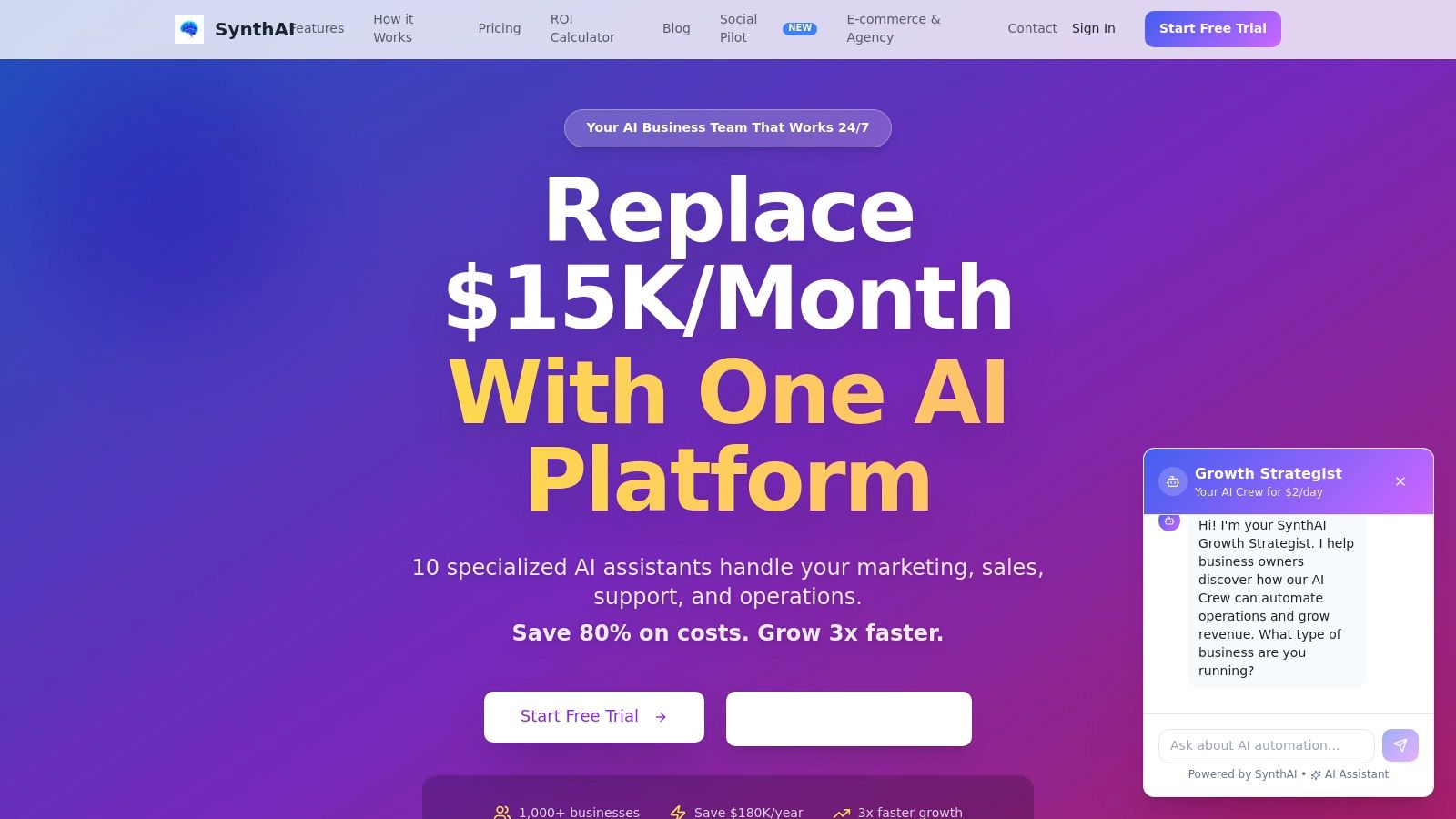
SynthAI presents a compelling solution for small businesses aiming to consolidate their tech stack and automate core functions. Instead of juggling a dozen separate tools for marketing, sales, and support, SynthAI offers an integrated "AI business team." At its heart is Nexus, an AI coordinator that translates high-level business goals into specific tasks, then delegates them to a team of 10 specialized AI assistants.
This structure allows businesses to automate everything from social media campaigns and ad management to customer support and operational workflows from a single dashboard. The platform's standout strength is its ability to orchestrate complex, multi-channel initiatives. For instance, you can describe a product launch, and Nexus will direct its assistants to create landing pages, generate social media content and videos, draft email sequences, and even monitor the resulting analytics for ROI. This makes it one of the best AI tools for small business owners who are short on time and resources.
Key Features & How to Use Them
SynthAI is designed for rapid implementation and tangible results. Setup is fast, requiring you to connect your existing tools like Shopify, Google Ads, Meta, HubSpot, and Zapier, a process that typically takes about five minutes.
- Coordinated Automation with Nexus: This isn't just a collection of tools; it's a unified system. Nexus acts as the project manager. Practical Tip: Start with a clear, simple goal like "increase traffic to our new blog post by 20%." Nexus will break this down, assigning tasks to Aura (SEO), Echo (social media), and Lumen (email) to create a coordinated promotional push.
- Social Pilot and AI Content Creator: This feature is a massive time-saver for content teams. You can provide a single URL or image, and the platform will generate a suite of platform-ready posts, short videos, and images. This avoids the manual effort of resizing and reformatting content for different social networks.
- Visual Debugger and Execution Traces: For business owners wary of "black box" AI, SynthAI provides full transparency. The visual debugger shows you exactly how Nexus is making decisions and what steps the assistants are taking. This is critical for auditing performance and building trust in the automation.
- Deep Integrations and Two-Way Sync: With native connections to major e-commerce, marketing, and CRM platforms (plus 5,000+ apps via Zapier), data flows seamlessly. This two-way sync ensures your CRM is always updated with new leads from a marketing campaign, for example.
> Real-World Impact: Businesses using SynthAI report significant efficiency gains and cost savings. Customers have cited replacing expensive agency retainers and freelance contracts, leading to savings of up to $180,000 annually and achieving a 4x improvement in operational efficiency within the first 90 days.
Pricing Structure
SynthAI uses a transparent, credit-based pricing model that scales with your needs. Promotional offers are common, so it's worth checking the site for current deals.
- Starter: From $39/month for 1,000 credits and access to 3 assistants.
- Pro: Typically $97/month (often discounted to $69) for 5,000 credits and your choice of 5 assistants.
- Ultimate: Around $149/month (often discounted to $97) for 12,000 credits and the full suite of 10 assistants.
- Enterprise: Custom plans are available for high-volume needs, offering dedicated throughput and account management.
A 7 or 14-day free trial is usually available, allowing you to test the platform before committing.
Pros & Cons
| Pros | Cons |
|---|---|
| Full-Stack Automation: One platform to manage marketing, sales, support, and operations with specialized, coordinated agents. | Human Oversight is Still Key: The AI requires initial guidance to perfect brand voice and handle complex strategic nuances. |
| Fast Setup & Deep Integrations: Connects to Shopify, Google Ads, Meta, HubSpot, and Zapier in minutes for immediate workflow automation. | Pricing Can Be Complex: Promotional windows and credit-based add-ons for features like high-volume video can be confusing. |
| Proven ROI: Customer testimonials and case studies report significant cost savings (up to $180K/year) and growth acceleration. | |
| Enterprise-Grade Security: SOC 2 compliance and transparent execution traces offer auditability and control for peace of mind. |
Website: https://www.getsynthai.com
2. HubSpot
For small businesses seeking to consolidate their tech stack, HubSpot provides an all-in-one customer platform with a powerful, integrated AI layer. While known for its robust CRM, the platform now infuses artificial intelligence across its Marketing, Sales, Service, and Content Hubs. This makes it one of the best AI tools for small business teams wanting to align their operations on a single source of truth for customer data.
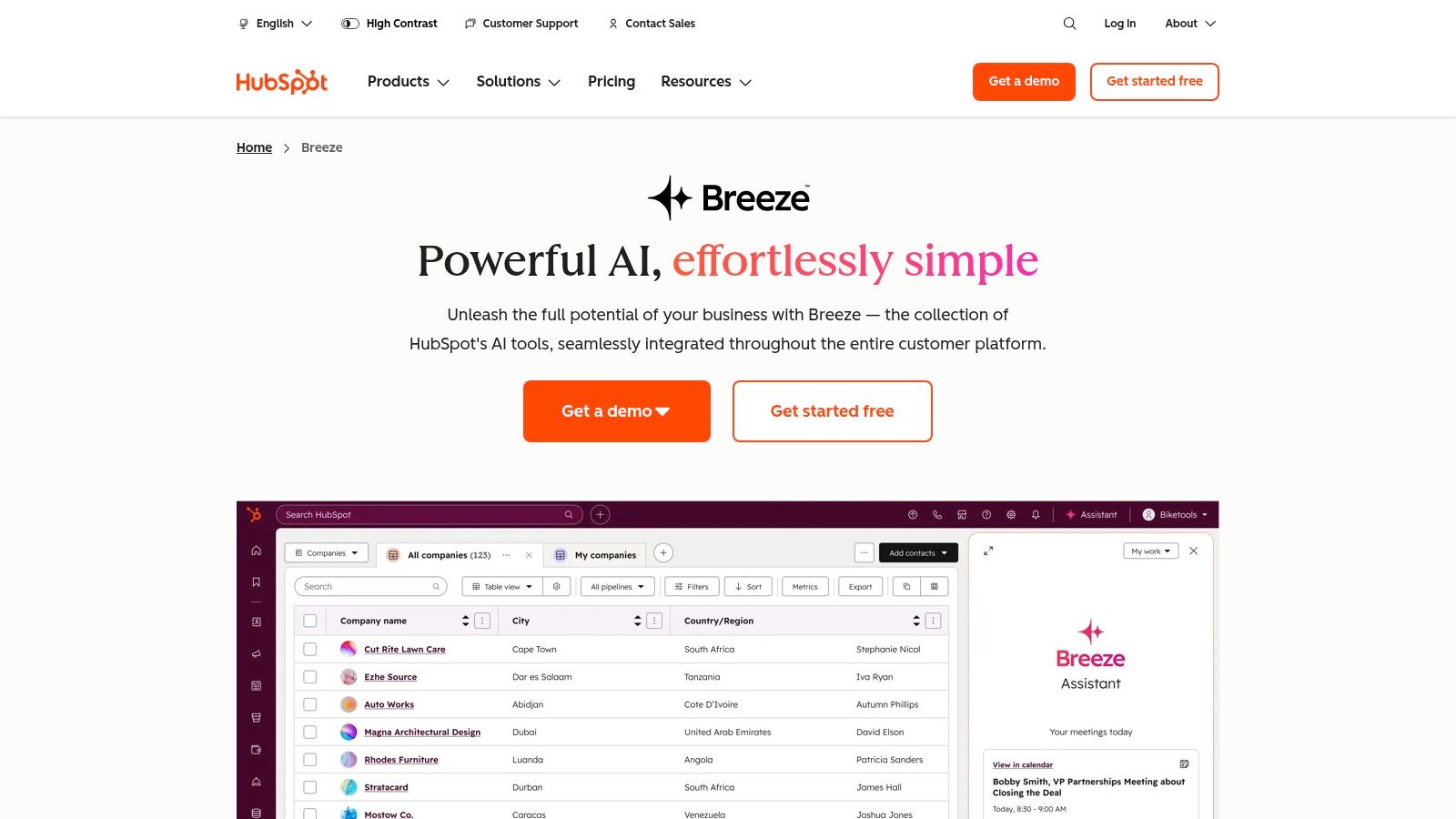
The system’s AI, called Breeze, functions as an embedded assistant. It powers features like AI-driven content creation for blogs and social posts, prospect list generation, and instant answers for customer support inquiries. A key distinction is how Breeze interacts directly with your CRM data, allowing you to ask questions like "show me leads that visited the pricing page more than three times last week" and get an immediate, actionable report.
Key Details & Pricing
- Best Use Case: Small businesses needing a unified platform for marketing, sales, and service with shared data and AI-powered workflows.
- Core Features: Breeze AI assistants, Smart CRM with AI suggestions, lead scoring, content remixing, and data analysis.
- Integrations: Connects with hundreds of apps, including Shopify, WordPress, Zapier, Meta, and Google Ads.
- Pricing: The "Starter Small Business Bundle" offers an accessible entry point. Costs scale based on the number of seats and modules added, so planning your needs is important.
Pros & Cons
| Pros | Cons |
|---|---|
| Broad, one-platform coverage for marketing, sales, and support. | Costs can increase significantly as your team and needs expand. |
| Extensive free education, templates, and a large app marketplace. | Getting the most from advanced features may require onboarding. |
| AI tools work directly with your CRM data for powerful, contextual results. | Can be more complex than single-purpose point solutions. |
Website: https://www.hubspot.com/products/artificial-intelligence
3. Shopify Magic and Sidekick
For the millions of small businesses built on Shopify, the platform’s native AI suite, Magic and Sidekick, is a game-changer. Rather than bolting on third-party apps, merchants get AI functionality directly embedded into their store’s admin panel. This makes it one of the best AI tools for small business owners in e-commerce who want to speed up daily operations without extra costs or complex integrations.
The system works in two key ways: Magic provides generative AI for content tasks like writing product descriptions, email subject lines, and blog posts. Sidekick is a conversational AI assistant that understands your store’s data and can execute tasks. You can ask it to "create a discount for 15% off our new T-shirt collection" or "summarize sales trends from last month," and it performs the actions or generates the report, saving immense administrative time.
Key Details & Pricing
- Best Use Case: Shopify merchants looking to accelerate content creation, marketing campaigns, and store management using native AI.
- Core Features: Sidekick conversational assistant, AI-generated product descriptions, automated email and blog content, and AI-powered image editing.
- Integrations: As a native feature, it works directly with your Shopify store data, products, and customer information. It also connects with Shopify apps like Mail and Inbox.
- Pricing: Shopify Magic features are included at no extra cost with all paid Shopify plans. Its availability is a core benefit of the platform subscription.
Pros & Cons
| Pros | Cons |
|---|---|
| Native to Shopify, meaning zero integration overhead or extra app costs. | Feature availability varies and some tools are not yet mobile-optimized. |
| Dramatically speeds up listing creation and marketing campaign development. | Less granular control and fewer advanced options than specialized suites. |
| Sidekick understands your specific store data for relevant, actionable help. | The AI's effectiveness is limited to the data within the Shopify ecosystem. |
Website: https://www.shopify.com/magic
4. Klaviyo
For B2C e-commerce businesses, Klaviyo is a leading marketing automation platform that deeply integrates AI to drive revenue. While it’s known for powerful email and SMS campaigns, its strength lies in using predictive analytics to understand customer behavior. The platform's AI tools are built to turn customer data into sales, making it one of the best AI tools for small business merchants focused on maximizing customer lifetime value (CLV).
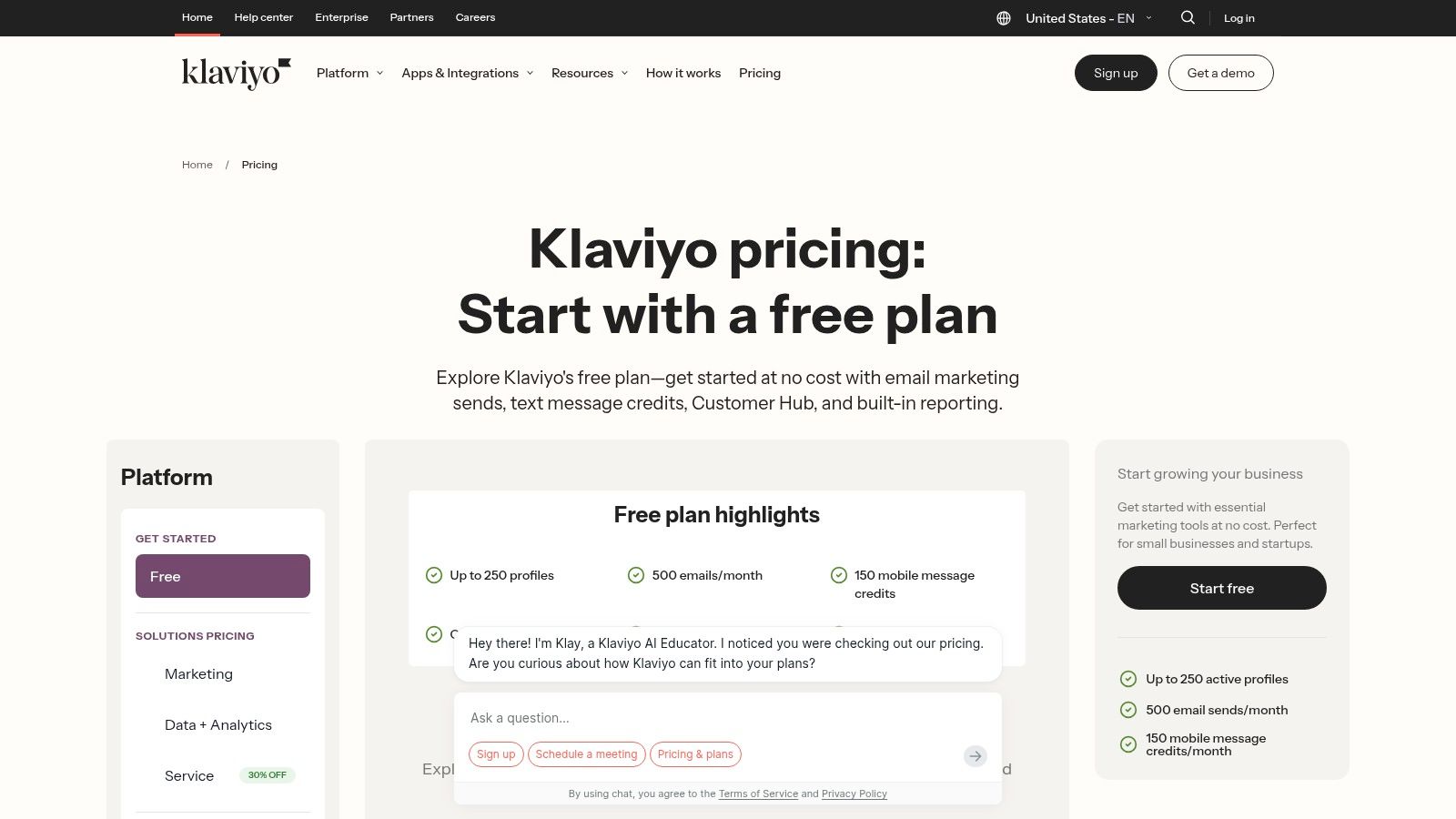
Klaviyo’s AI generates high-performing subject lines and email copy, but its most valuable feature is its predictive segmentation. It can automatically identify which customers are likely to churn, who is on the verge of making another purchase, and predict a customer's future spending. This allows businesses to create hyper-targeted campaigns, such as sending a special offer to a high-CLV customer at risk of churning. Its tight integration with Shopify enables automations based on specific events, like viewing a product or adding an item to a cart.
Key Details & Pricing
- Best Use Case: E-commerce businesses (especially on Shopify or WooCommerce) wanting to automate revenue-driving communication using predictive customer data.
- Core Features: Predictive analytics (churn, CLV), AI-powered subject line and content generation, automated segmentation, and built-in SMS marketing.
- Integrations: Deep connections with Shopify, Amazon Buy with Prime, WooCommerce, BigCommerce, Magento, and more via Zapier.
- Pricing: A free tier is available for up to 250 contacts. Paid plans scale based on the number of active email and SMS contacts, so maintaining a clean list is key to managing costs.
Pros & Cons
| Pros | Cons |
|---|---|
| Strong e-commerce ROI focus with robust segmentation. | Pricing scales with active profiles, so list hygiene is important. |
| Widely adopted by Shopify merchants with tons of templates. | Advanced setup can take time for small teams without prior experience. |
| Predictive analytics provide actionable insights for campaigns. | Focus is almost exclusively on B2C e-commerce marketing. |
Website: https://www.klaviyo.com/pricing
5. Google Ads Performance Max
For small businesses aiming to maximize their paid advertising reach with minimal manual intervention, Google Ads Performance Max offers a powerful, goal-based campaign type. It uses Google's AI to find converting customers across all of Google's channels, including YouTube, Display, Search, Discover, Gmail, and Maps. This makes it one of the best AI tools for small business teams who need to scale paid acquisition efficiently without needing to manage multiple complex campaigns.
Performance Max (PMax) automates targeting, bidding, and ad creation to drive specific goals like sales or leads. You provide high-quality creative assets (text, images, logos), audience signals (like your customer lists or website visitors), and a budget. The AI then mixes and matches these elements and uses Smart Bidding to find the highest-value conversions. A key advantage is its ability to automatically generate video ads and report on which creative combinations perform best, providing insights for future marketing.
Key Details & Pricing
- Best Use Case: Small businesses, particularly e-commerce stores, looking to automate ad campaigns across all Google properties to achieve a specific conversion goal (e.g., sales, leads).
- Core Features: Cross-channel automation, Smart Bidding, AI-generated creative assets (including video), data-driven attribution, and audience signal integration.
- Integrations: Deeply integrates with Google Merchant Center for shopping feeds, Google Analytics for conversion tracking, and has plugins for platforms like Shopify and WordPress.
- Pricing: There is no platform fee; you pay for ad spend based on a daily budget you set. Costs are performance-based (e.g., cost-per-click or cost-per-conversion).
Pros & Cons
| Pros | Cons |
|---|---|
| A single campaign reaches customers across every available Google channel. | Offers less transparency and manual control compared to traditional campaigns. |
| Strong automation for bidding and creative testing saves significant time. | Requires a "learning period" where performance can be unpredictable. |
| Provides useful insights on top-performing assets and audience trends. | Heavily relies on accurate conversion tracking and high-quality creative inputs. |
Website: https://support.google.com/google-ads/answer/10724817
6. Meta Advantage+ (Advantage+ Sales/Shopping)
For e-commerce businesses heavily invested in Facebook and Instagram advertising, Meta Advantage+ is a crucial AI suite designed to automate and scale campaigns. It moves advertisers away from manual audience segmentation and toward a trust-the-algorithm approach. This makes it one of the best AI tools for small business owners who want to maximize their ad spend on Meta's platforms without needing a large, dedicated ad management team.
The system works by consolidating complex campaign structures, combining prospecting and remarketing efforts into a single, machine-learning-driven campaign. You provide the creative assets, and Meta's AI handles the budget allocation, audience targeting, and placement optimization across its entire network. A key distinction is its ability to dynamically test creative variations and find winning combinations, freeing up advertisers from constant manual A/B testing and adjustments.
Key Details & Pricing
- Best Use Case: E-commerce and direct-to-consumer (DTC) brands aiming to scale online sales with automated Facebook and Instagram ad campaigns.
- Core Features: End-to-end campaign automation, dynamic creative testing, consolidated audience targeting, and real-time budget optimization.
- Integrations: Connects directly with e-commerce platforms like Shopify for conversion tracking and works within the Meta Business Suite.
- Pricing: Included with Meta Ads. Costs are based on your advertising budget, not a separate subscription fee for the tool itself.
Pros & Cons
| Pros | Cons |
|---|---|
| Radically simplifies campaign setup and ongoing management. | Offers less granular control over audience targeting than manual campaigns. |
| Can find new customer segments that manual targeting might miss. | Performance can be inconsistent and requires a learning period for the AI. |
| Consolidates complex ad accounts, making performance easier to analyze. | Budgeting rules and reporting differ from classic setups, which can be confusing. |
Website: https://www.facebook.com/business/ads/meta-advantage-plus
7. Canva Magic Studio
For small businesses needing to produce on-brand visual content at high speed, Canva's Magic Studio integrates a full suite of AI tools directly into its popular design platform. While Canva is already a staple for many marketers, Magic Studio adds a powerful AI layer for everything from text generation to creating entirely new images and videos. This makes it one of the best AI tools for small business owners and teams who lack dedicated design staff but need professional-grade assets quickly.
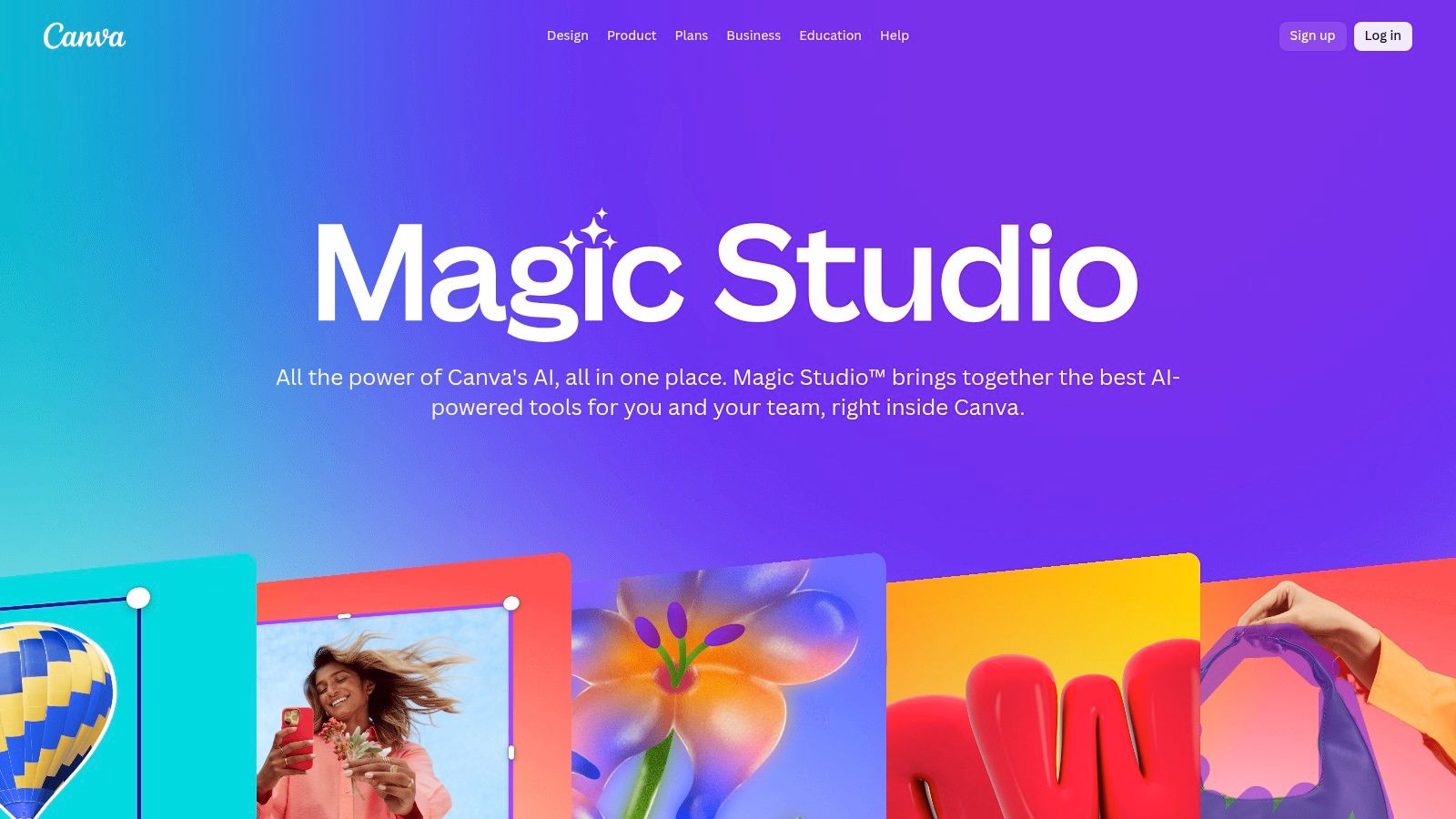
Magic Studio’s toolkit is designed for practicality. You can use Magic Write to draft social media captions or ad copy, then instantly generate corresponding visuals with Magic Media (its image and video generator). A standout capability is its brand-aware generation. By connecting your Brand Kit, the AI suggests designs, color palettes, and fonts that automatically align with your company’s visual identity, ensuring consistency across all marketing collateral.
Key Details & Pricing
- Best Use Case: Founders, marketers, and social media managers who need to create a high volume of on-brand visual content without extensive design experience.
- Core Features: Magic Write (text), Magic Media (image/video), Magic Resize, AI Assistant (@Canva), and Brand Kit-aware content generation.
- Integrations: Connects with social media platforms for direct publishing and cloud storage services, plus a broad app marketplace including integrations with platforms like WordPress.
- Pricing: A generous free plan exists. Most Magic Studio features require a Canva Pro or Canva for Teams subscription, which are affordably priced for small businesses.
Pros & Cons
| Pros | Cons |
|---|---|
| Extremely fast asset production with a massive library of templates. | Advanced brand governance requires a Pro or Teams subscription. |
| Team-friendly with Brand Kits, permissions, and collaborative workflows. | Video editing capabilities are not as deep as specialized NLEs. |
| AI is fully integrated into the design workflow for seamless use. | AI-generated content may sometimes lack the nuance of a human designer. |
Website: https://www.canva.com/magic/
8. Jasper
For marketing teams and agencies that require consistent, on-brand content across multiple channels, Jasper provides a purpose-built AI platform. Unlike general-purpose AI writers, Jasper is engineered with governance and brand safety at its core. This makes it one of the best AI tools for small business teams needing to produce high-volume marketing materials without sacrificing brand integrity.
The platform’s strength lies in its Brand Voice and Style Guide features, which train the AI on your specific messaging, tone, and formatting rules. This ensures that every piece of content, from an ad campaign to a blog post, feels authentic to your brand. Jasper also offers a no-code AI App Builder, allowing teams to create reusable templates for specific tasks, standardizing workflows and improving efficiency for everyone.
Key Details & Pricing
- Best Use Case: Marketing teams and agencies needing to scale content creation while maintaining strict brand consistency and control.
- Core Features: Brand Voice and Style Guides, campaign-ready templates, no-code AI App Builder, and team collaboration spaces.
- Integrations: Offers a browser extension and API access. It works well alongside platforms like WordPress, Zapier, and major social media schedulers.
- Pricing: Provides Creator, Teams, and Business plans. The Teams plan is a popular starting point for small groups needing collaboration and brand voice features.
Pros & Cons
| Pros | Cons |
|---|---|
| Marketing-focused interface with strong governance for teams. | Some overlap with general AI models means value is tied to brand controls. |
| Enterprise-grade options like API access are available for scaling. | Advanced features like the AI App Builder are gated to higher-tier plans. |
| Excellent for creating repeatable, on-brand content workflows. | Can feel more complex than a simple AI chat interface for basic tasks. |
Website: https://www.jasper.ai/pricing
9. Notion AI
For small businesses building an internal knowledge base or company "operating system," Notion AI embeds artificial intelligence directly into its flexible workspace. Rather than a standalone product, its AI functions as a creative and organizational partner within the documents, databases, and project plans your team already uses. This makes it one of the best AI tools for small business teams focused on centralizing information and standardizing operations.
Notion’s AI features are woven into every part of the platform. You can generate or edit content, autofill database properties, translate text, and create instant summaries of long research documents or meeting notes. A standout capability is its ability to interact with your entire workspace, allowing you to build lightweight SOPs, content calendars, and even CRMs that are AI-assisted from the ground up.
Key Details & Pricing
- Best Use Case: Teams needing an AI-powered central hub for wikis, project management, standard operating procedures, and content creation.
- Core Features: In-document content generation and editing, database autofill, meeting summaries, and an emerging AI Agent for multi-step automated workflows.
- Integrations: Connects with essential tools like Slack, GitHub, Jira, and Google Drive, with new integrations regularly added to its ecosystem.
- Pricing: Notion AI is an add-on to existing Notion plans (including the free tier). It is priced per member, per month, making it an affordable addition for teams of any size.
Pros & Cons
| Pros | Cons |
|---|---|
| Centralizes content, wikis, and projects with AI assistance. | Best results require full team adoption; partial use limits ROI. |
| Flexible building blocks for custom, AI-powered internal tools. | Certain advanced AI features are still in beta and vary by plan. |
| AI works directly within your existing knowledge base and docs. | Can feel less structured than dedicated, single-purpose AI tools. |
Website: https://www.notion.so/product/ai
10. Zapier with AI
For small businesses needing to connect their diverse set of applications, Zapier with AI transforms the popular automation platform into an intelligent workflow builder. It extends Zapier's core function of linking over 6,000 apps by adding an AI layer that allows for the creation of sophisticated automations using natural language. This makes it one of the best AI tools for small business teams without dedicated developers, enabling them to orchestrate complex processes that read, write, and route data across their entire software stack.
The system’s AI integration operates in a few key ways. You can now build automations, known as Zaps, by simply describing your goal in a chat interface. For instance, you could type "when I get a new lead in HubSpot, summarize the lead's company website and create a new task in Asana." It also adds AI-powered steps directly into Zaps, allowing you to automatically classify support tickets, summarize customer feedback, or generate personalized email drafts as part of a multi-step workflow.
Key Details & Pricing
- Best Use Case: Teams that need to connect disparate software tools and inject intelligent decision-making or content generation into their automated workflows.
- Core Features: Natural language automation building, AI steps for summarization and classification, AI-powered Tables and Forms for creating simple internal apps.
- Integrations: Connects with over 6,000 apps, including Shopify, Google Ads, Meta, HubSpot, and WordPress, making it a universal connector.
- Pricing: A free plan exists with limited tasks. Paid plans scale based on the number of tasks run per month and the complexity of the Zaps, so workflow efficiency is key.
Pros & Cons
| Pros | Cons |
|---|---|
| The fastest way to connect thousands of different apps without code. | Costs scale with task volume, so inefficient Zaps can become expensive. |
| Scales effectively from solo users to larger teams and enterprise plans. | Complex, high-volume automations may require expert setup and oversight. |
| AI features are accessible to non-technical users via natural language. | The sheer number of app integrations can be overwhelming initially. |
Website: https://zapier.com/ai
11. Intercom Fin
For small businesses aiming to automate customer support with accuracy, Intercom's Fin offers a purpose-built AI agent designed for resolution. It operates across multiple channels including voice, email, and chat, acting as a frontline support specialist. This makes it one of the best AI tools for small business teams who need to scale their support capacity without immediately hiring more staff, while maintaining a high quality of customer interaction.
Fin's core strength is its methodical approach to answering questions, which it bases strictly on a business's own knowledge base and documented procedures. A significant advantage for any support leader is the ability to test the AI in a sandbox environment. You can simulate conversations and refine its responses before it ever interacts with a live customer, ensuring it performs as expected from day one. This focus on safety and pre-launch testing sets it apart from more generalized chatbots.
Key Details & Pricing
- Best Use Case: Support-focused small businesses with a documented knowledge base ready to automate a high volume of customer inquiries.
- Core Features: Fin AI Engine for accurate responses, "Procedures" to follow multi-step workflows, a testing sandbox, and AI-powered analytics.
- Integrations: Works with major helpdesks like Zendesk and Salesforce, allowing it to supplement existing support systems.
- Pricing: Follows a transparent per-resolution pricing model, though minimum commitments may apply. This makes costs predictable based on performance.
Pros & Cons
| Pros | Cons |
|---|---|
| Strong focus on resolution accuracy with a test-before-you-launch sandbox. | Best suited for businesses with a well-documented knowledge base. |
| Transparent pricing tied directly to successful resolutions. | Unit economics need to be monitored at very low support volumes. |
| Integrates with other helpdesks, so you don't have to switch platforms. | May be overkill if you only need a simple, non-transactional chatbot. |
Website: https://fin.ai
12. Zendesk AI
For small businesses prioritizing customer experience, Zendesk AI offers a powerful layer of intelligence over its well-established support platform. Instead of being a standalone product, Zendesk infuses AI into its core ticketing and help center software, making it an excellent choice for teams already using Zendesk or those looking for a mature, CX-focused solution with built-in automation. This approach makes it one of the best AI tools for small business support teams aiming to improve efficiency and resolution times.
The platform’s intelligence works through autonomous AI Agents and an Agent Copilot. AI Agents can resolve customer requests 24/7 across multiple channels without human intervention, while the Agent Copilot assists human agents by suggesting replies, providing context, and automating ticket triage and routing. This dual approach allows businesses to scale support capacity and empower their existing team with tools that speed up every interaction.
Key Details & Pricing
- Best Use Case: Support-centric small businesses needing to automate resolutions, speed up agent replies, and improve operational efficiency.
- Core Features: Autonomous AI Agents, Agent Copilot with suggested replies and next-best actions, AI-driven triage and routing, and admin insights.
- Integrations: Connects seamlessly with the Zendesk Suite and hundreds of marketplace apps, including Shopify, Zapier, Slack, and Jira.
- Pricing: Zendesk AI is available as an add-on to Zendesk Suite plans. The "AI Agents" add-on has its own pricing, so costs will increase per agent.
Pros & Cons
| Pros | Cons |
|---|---|
| Deep CX product breadth with AI components reduces vendor sprawl. | Requires clean ticket and knowledge base data for best outcomes. |
| Designed for quick time-to-value with a 'no training required' claim. | AI add-ons and advanced capabilities can increase per-agent costs. |
| AI works directly within the support workflow for practical assistance. | Best suited for businesses already committed to the Zendesk ecosystem. |
Website: https://www.zendesk.com/ai/
Top 12 AI Tools for Small Business — Feature Comparison
| Product | Core features ✨ | Quality & Results ★ | Value & Pricing 💰 | Target audience 👥 | Unique selling points 🏆 |
|---|---|---|---|---|---|
| 🏆 SynthAI | ✨ Nexus coordinator + 10 specialist assistants; pre-built workflows; deep Shopify/Ads/HubSpot/Slack integrations; HD video add-on | ★★★★★ — up to 4x efficiency; real-time ROI & MRR tracking | 💰 Starter $39 / Pro ~$97 / Ultimate ~$149; 7‑day trial; credit-based scaling | 👥 E‑commerce founders, agencies, growth marketers, SMB ops/support | 🏆 Coordinated, full‑stack AI team that replaces tool sprawl & freelancers |
| HubSpot | ✨ CRM + Breeze AI across Marketing/Sales/Service/Content; Breeze Agents | ★★★★☆ — unified data model; strong templates & docs | 💰 Tiered by seats/modules; Starter bundles for SMBs | 👥 Sales & marketing teams, SMBs | Shared CRM + marketplace + education for onboarding |
| Shopify Magic & Sidekick | ✨ Native product descriptions, images, email copy, Sidekick copilot for store ops | ★★★☆☆ — fast native workflows; feature rollout varies | 💰 Included in Shopify (feature availability varies) | 👥 Shopify merchants, small stores | Native store‑ops copilot with no extra integrations |
| Klaviyo | ✨ AI copy, predictive segments (CLV/churn), deep Shopify & SMS automation | ★★★★☆ — strong revenue lift for lifecycle campaigns | 💰 Pricing by active profiles; list hygiene essential | 👥 Ecommerce marketers, lifecycle teams | Predictive segmentation focused on revenue optimization |
| Google Ads Performance Max | ✨ Goal‑based multi‑channel automation; smart bidding; auto creatives | ★★★★☆ — high reach, fast scaling; less transparency | 💰 CPC/CPA based; best with quality creative & tracking | 👥 Paid acquisition teams, performance marketers | One campaign that spans Search, YouTube, Display, Gmail |
| Meta Advantage+ (Sales/Shopping) | ✨ End‑to‑end automation, dynamic creative testing, sales focus | ★★★☆☆ — quick launches; variable niche performance | 💰 Ad spend + platform automation; simplified setup | 👥 Ecommerce advertisers on Facebook/Instagram | Consolidates prospecting & remarketing with dynamic creatives |
| Canva Magic Studio | ✨ Magic Write, Magic Media (image/video), Brand Kits & templates | ★★★★☆ — very fast, on‑brand asset production | 💰 Free tier; Pro/Business for brand governance | 👥 Founders, marketers, small design teams | Rapid, brand‑aware visuals and team controls |
| Jasper | ✨ Brand voice controls, campaign templates, no‑code AI App Builder | ★★★★☆ — strong for scale with governance | 💰 Tiered plans; Business for enterprise features | 👥 Agencies, marketing teams producing lots of content | Brand governance + reusable content workflows |
| Notion AI | ✨ AI in docs/databases, meeting notes, Agent & Enterprise Search (beta) | ★★★☆☆ — excellent internal knowledge UX when adopted org‑wide | 💰 Plan features vary; ROI needs full adoption | 👥 Internal teams, ops, content planners | Centralized SOPs, editorial ops & AI‑augmented workspace |
| Zapier with AI | ✨ Natural‑language automation builder; AI steps for summarization/classification | ★★★★☆ — fastest path to connect 6,000+ apps | 💰 Task‑based pricing; cost rises with volume | 👥 Ops teams, non‑technical integrators | No‑code orchestration with AI steps inside workflows |
| Intercom Fin | ✨ AI agent for chat/email/voice; simulation sandbox; procedures & insights | ★★★★☆ — optimized for resolution accuracy | 💰 Per‑resolution pricing; monitor unit economics | 👥 Small support teams, helpdesk operators | Trainable agent + pre‑launch simulation for safe rollouts |
| Zendesk AI | ✨ Autonomous AI agents, Agent Copilot, triage & admin insights | ★★★★☆ — strong CX tooling with quick time‑to‑value | 💰 Add‑on pricing can increase per‑agent costs | 👥 CX teams, SMBs to enterprises | Deep support suite integration with agent guidance and triage |
Building Your Automated Business: How to Choose and Implement Your AI Stack
We've explored a powerful collection of the best AI tools for small business, from specialized content creators like Jasper to comprehensive CRM platforms like HubSpot. The sheer number of options can feel overwhelming, but the goal isn't to adopt every shiny new application. True success comes from strategic implementation, turning a collection of tools into a cohesive, automated system that works for you.
The journey begins not with a tool, but with a problem. Identify the single biggest bottleneck in your business right now. Is it the hours spent writing ad copy, the constant backlog of customer support tickets, or the struggle to keep your content calendar full? Pinpointing this core pain point will guide your first, most impactful AI adoption.
How to Select Your First AI Tool
Choosing the right tool is a balancing act between solving your immediate problem and aligning with your long-term goals. Consider your current operational foundation.
- For the Deeply Integrated Business: If your operations live inside a specific ecosystem, start there. A Shopify store owner should first explore Shopify Magic and Sidekick. A sales team driven by HubSpot will find immediate value in its native AI features for lead scoring and data enrichment. Augmenting your core platform is often the path of least resistance and fastest ROI.
- For the Multi-Tool Juggler: Are you drowning in subscriptions, managing a patchwork of freelancers, and manually moving data between apps? This is where a consolidated platform like SynthAI shines. It’s designed to replace the chaos of fragmented tools by creating an interconnected "AI team" that manages marketing, sales, and operations from one central dashboard.
- For the Automation-Focused Builder: If your goal is to connect disparate systems, Zapier with AI is your command center. You can build powerful, custom workflows, like using Notion AI to draft a blog post and then having Zapier automatically publish it to WordPress and create a promotional campaign in Klaviyo.
A Practical Framework for Implementation
Once you've selected a tool, a measured approach to implementation is critical. Don't try to automate everything at once. Start small, prove the concept, and then expand.
1. Define a Single, Measurable Goal: Before you even sign up, determine your metric for success. Examples include "Reduce customer support response time by 50% with Zendesk AI" or "Cut content creation time for social media by 5 hours per week using Canva Magic Studio."
2. Run a Pilot Project: Choose a small, low-risk area of your business to test the tool. For instance, use Jasper to write one week's worth of social media posts instead of your entire content strategy. Use Intercom Fin to handle only the top three most common support questions.
3. Measure and Analyze: After the pilot, review your results against the goal you set. Did the tool save you time? Did it improve a key performance metric like conversion rate or customer satisfaction? This data, not just a gut feeling, will justify wider adoption.
4. Integrate and Scale: With a successful pilot complete, you can confidently integrate the tool into your daily operations. Connect it to your other core platforms like Shopify, Google Ads, or HubSpot to build a seamless flow of information and action.
The ultimate objective is to create a business that runs more efficiently, giving you back your most valuable resource: time. By thoughtfully selecting and implementing the best AI tools for your small business, you aren't just adding software; you're building a scalable, automated engine for growth. You can now focus on strategy, innovation, and the human connections that software can never replace.
Ready to stop juggling a dozen different apps? SynthAI consolidates your marketing, sales, and operations into a single, intelligent platform, acting as your dedicated AI team. Discover how to automate complex workflows and unify your business at SynthAI.
Ready to Transform Your Business with AI?
Build your AI team and start automating your marketing today.