Elevate Growth with marketing automation workflow examples: 7 Tactics
SynthAI Team
Content Team
Marketing automation is more than a buzzword; it’s a strategic framework for building intelligent, self-sustaining systems that drive growth 24/7. Many businesses understand the why of automation but get stuck on the how and what. This leaves them grappling with fragmented tools, time-consuming manual processes, and significant missed opportunities for engagement and revenue.
This guide provides a direct solution. We’re moving beyond theory to deliver a detailed blueprint with 10 actionable marketing automation workflow examples you can implement immediately. Forget surface-level descriptions; each example is a mini-playbook. We’ll dissect the entire process from start to finish, including the specific trigger that initiates the sequence, the step-by-step actions the system performs, and the key performance indicators (KPIs) you need to track for success.
You will find replicable strategies for everything from sophisticated abandoned cart recovery sequences and dynamic lead scoring to automated social media content pipelines and customer retention campaigns. These aren't just ideas; they are structured, proven workflows designed to help you save hundreds of hours, reduce operational costs, and create a scalable engine for customer acquisition and loyalty. We will explore how to translate these strategic plans into hands-off execution, turning your marketing goals into automated reality. Let’s dive into the specific workflows that will transform your operations.
1. Email Drip Campaigns & Abandoned Cart Recovery
Abandoned cart recovery is one of the most profitable marketing automation workflow examples an e-commerce business can implement. This workflow automatically triggers a sequence of emails when a customer adds items to their online cart but leaves the site without completing the purchase. The goal is to re-engage these high-intent shoppers and guide them back to finalize their order, recovering otherwise lost revenue.
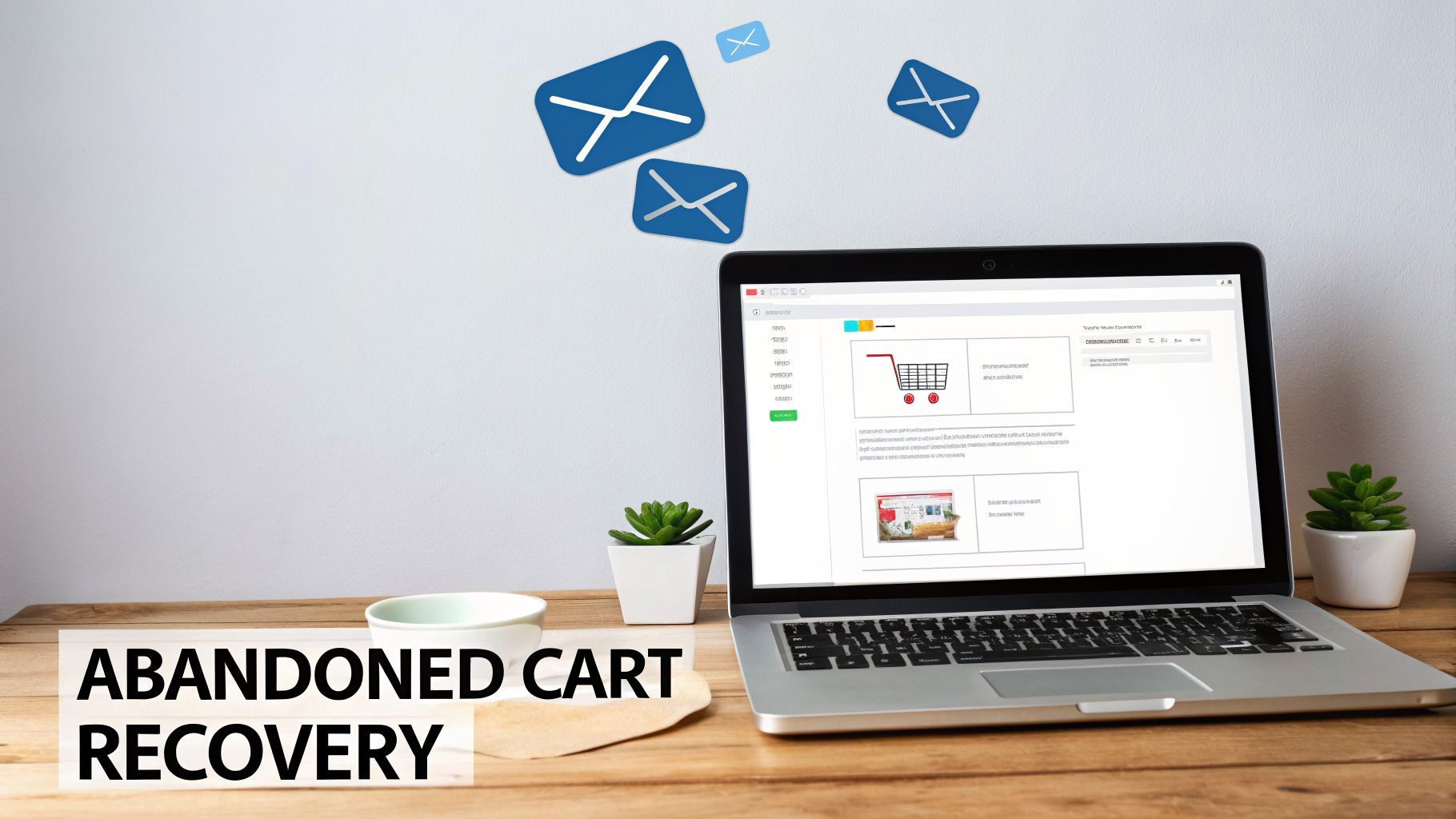
This workflow is foundational because it targets users who have already shown clear purchasing intent. By automating a timely, personalized follow-up, you can overcome common reasons for abandonment like distractions, price sensitivity, or technical issues, potentially recovering up to 35% of lost sales.
Strategic Breakdown
- Trigger: A known user (logged in or entered email at checkout) adds a product to their cart but does not complete the "purchase" event within a set time frame (e.g., 60 minutes).
- Actions:
1. Wait (1 Hour): Send a gentle reminder email with the subject line "Did you forget something?"
2. Wait (24 Hours): Send a second email introducing a sense of urgency or social proof, like "Your items are selling fast!"
3. Wait (48-72 Hours): Send a final email, often including a small incentive like a 10% discount or free shipping code to close the sale.
- Tools: Platforms like Klaviyo, Omnisend, and HubSpot are built for this, integrating directly with e-commerce platforms like Shopify.
- KPIs: Cart Recovery Rate, Email Open Rate, Click-Through Rate (CTR), and Revenue Recovered.
Actionable Takeaways
To maximize effectiveness, personalize the content with the customer’s name and images of the exact products left in their cart. Urgency is critical; the first email should be sent within one hour of abandonment for the highest impact. Use A/B testing on subject lines, send times, and discount offers to continually optimize performance.
> Key Insight: Segment your abandoned cart workflow based on cart value. High-value carts might warrant a more aggressive discount or personalized outreach, while lower-value carts can follow a standard sequence. This prevents margin erosion while maximizing recovery on your most valuable potential orders.
2. Social Media Content Calendar & Posting Automation
Social media posting automation is a game-changing workflow for maintaining a consistent and strategic brand presence across multiple platforms. This automation involves using a scheduler to pre-load and automatically publish content to channels like Instagram, LinkedIn, and Facebook. The goal is to eliminate the daily manual effort of posting, freeing up teams to focus on strategy, engagement, and content creation.
This workflow is essential because audience engagement and algorithm favorability depend heavily on posting consistency. Automating this process ensures your brand stays top-of-mind without requiring round-the-clock manual oversight, allowing a small team or even a single person to manage a robust, multi-platform content strategy effectively.
Strategic Breakdown
- Trigger: A pre-defined time and date arrives in the content calendar schedule (e.g., Tuesday at 9:15 AM EST).
- Actions:
1. Queue Content: Content (image, video, text) is created in batches and uploaded to a scheduling tool.
2. Schedule Post: Each piece of content is assigned a specific date, time, and social media platform for publishing.
3. Auto-Publish: The tool automatically publishes the post to the designated platform(s) at the scheduled time.
4. Analyze & Repeat: The system gathers performance data (likes, shares, comments), which informs future content scheduling.
- Tools: Platforms like Buffer, Later, Sprout Social, and Hootsuite are market leaders, offering advanced scheduling, analytics, and team collaboration features.
- KPIs: Engagement Rate (likes, comments, shares), Reach/Impressions, Follower Growth, and Website Clicks from social channels.
Actionable Takeaways
To execute this marketing automation workflow example successfully, batch-create your content a month in advance. This streamlines production and ensures a cohesive brand message. Use your scheduling tool’s analytics to identify optimal posting times based on when your specific audience is most active, rather than relying on generic advice.
> Key Insight: Create a content pillar strategy where you develop one long-form piece of content (like a blog post or video) and then repurpose it into 5-10 smaller social media snippets. This approach maximizes the value of each core idea and fills your content calendar with high-quality, relevant posts with minimal extra effort.
3. Lead Scoring & Sales Pipeline Automation
Lead scoring is a powerful marketing automation workflow example that systematically qualifies leads for sales readiness. This workflow assigns points to prospects based on their demographic information and behavioral data, such as website visits, email opens, and content downloads. When a lead reaches a predetermined score threshold, they are automatically routed to the sales team, ensuring reps focus their time on the most engaged and promising opportunities.
This workflow is essential for B2B and high-value B2C companies because it bridges the gap between marketing and sales. By automating the qualification process, it reduces manual effort, shortens the sales cycle, and improves the overall quality of leads handed off to the sales team, directly impacting revenue growth and team efficiency.
Strategic Breakdown
- Trigger: A lead takes a specific action (e.g., submits a form, visits the pricing page, downloads an ebook) or matches a demographic profile (e.g., job title is "Director," company size is 500+).
- Actions:
1. Assign Points: The automation platform adds or subtracts points based on predefined rules. For example: Demo request (+50 points), visited pricing page (+15), opened an email (+5).
2. Check Threshold: The system continuously checks if a lead's score has crossed the "sales-ready" threshold (e.g., 100 points).
3. Route Lead & Alert Sales: Once the threshold is met, the workflow automatically assigns the lead to a sales rep in the CRM and sends a real-time notification (via Slack or email) to the rep for immediate follow-up.
- Tools: Platforms like HubSpot, Marketo, Pardot, and ActiveCampaign are industry leaders in creating sophisticated lead scoring models.
- KPIs: Marketing Qualified Leads (MQLs), Sales Qualified Leads (SQLs), MQL-to-SQL Conversion Rate, and Sales Cycle Length.
Actionable Takeaways
To start, define your ideal customer profile and map their journey to identify key engagement signals. Keep the initial model simple; focus on 3-5 high-intent actions (like a demo request or pricing page visit) and a few key firmographic data points. Regularly review the scoring model with your sales team to ensure the leads being passed are genuinely high-quality and adjust point values based on which activities lead to the most closed deals.
> Key Insight: Implement a "score degradation" rule. If a lead is inactive for a certain period (e.g., 30 days), their score should automatically decrease. This ensures your sales team is always working with a fresh, engaged list of prospects and prevents them from wasting time on leads that have gone cold.
4. Customer Support Ticket Automation & Chatbot Triage
Customer support ticket automation is a powerful marketing automation workflow example that uses chatbots and AI to manage initial customer inquiries. This system automatically triages incoming support requests, categorizes them by urgency and topic, assigns them to the correct teams, and resolves common questions instantly without human intervention. The goal is to improve response times dramatically and free up human agents to focus on complex, high-value issues.
This workflow is crucial for businesses scaling their customer support operations. By automating the first line of defense, companies can offer 24/7 assistance, reduce support ticket volume by 40-70%, and significantly lower operational costs while improving customer satisfaction scores.
Strategic Breakdown
- Trigger: A customer initiates a conversation via a website chat widget, email, or social media message.
- Actions:
1. Engage (Instantly): An AI chatbot greets the user and asks them to describe their issue or choose from common topics (e.g., "Order Status," "Return Policy," "Technical Issue").
2. Qualify & Route (Seconds): The bot analyzes the user's input. If it's a common question, it provides an answer from the knowledge base. If it's complex, it categorizes the ticket (e.g., "Billing," "Urgent") and assigns it to the appropriate human agent or department.
3. Escalate (If Needed): If the user expresses frustration (detected via sentiment analysis) or requests to speak with a person, the workflow immediately creates a high-priority ticket with the full chat transcript for a human agent.
- Tools: Platforms like Gorgias, Intercom, Zendesk, and Drift excel at this, offering powerful chatbot builders, rule-based routing, and integrations with e-commerce and CRM systems.
- KPIs: First Response Time (FRT), Ticket Resolution Rate, Customer Satisfaction (CSAT) Score, and Cost Per Resolution.
Actionable Takeaways
To start, identify your top 5-10 most frequently asked questions and build chatbot decision trees to answer them. Always provide a clear "talk to a human" escape hatch so customers never feel trapped. Train your bot on actual customer language and monitor its performance monthly to refine responses and improve accuracy.
> Key Insight: Combine your chatbot with your knowledge base. When the bot successfully resolves an issue, prompt the user to rate the answer's helpfulness. Use this feedback to continuously improve your self-service resources, creating a flywheel effect where automation gets smarter over time.
5. Landing Page A/B Testing & Conversion Optimization
Automating landing page A/B testing is a powerful conversion rate optimization (CRO) workflow that systematically improves performance without manual intervention. This process involves creating multiple versions of a landing page, automatically splitting incoming traffic between them, and analyzing performance data to identify the variant that generates the most conversions. The goal is to continuously iterate and refine key page elements to maximize lead generation, sales, or sign-ups.
This workflow is essential for growth because it replaces guesswork with data-driven decision-making. Instead of launching a page and hoping it works, you create a system that guarantees incremental improvements over time. For SaaS companies, this can mean a 35% lift in free trial sign-ups; for e-commerce, it could be the difference between a 2% and an 8% conversion rate.
Strategic Breakdown
- Trigger: A user visits a specific high-traffic URL (e.g., a product page, pricing page, or lead magnet landing page). The automation tool randomly assigns them to see either Variant A (the control) or Variant B (the test).
- Actions:
1. Traffic Split: The tool evenly distributes visitors between the live page variants.
2. Data Collection: It tracks user interactions on each variant, specifically monitoring the "conversion" goal (e.g., form submission, button click, purchase).
3. Analysis: The system calculates the conversion rate for each variant and determines if there is a statistically significant winner (typically at 95% confidence).
4. Implementation: Once a winner is declared, you can manually or automatically direct 100% of traffic to the winning version.
- Tools: Optimizely, VWO (Visual Website Optimizer), Unbounce, and Instapage are industry leaders for building, testing, and automating landing page optimization.
- KPIs: Conversion Rate, Leads Generated, Cost Per Acquisition (CPA), Bounce Rate, and Statistical Significance.
Actionable Takeaways
To make this workflow effective, start by testing a single, high-impact element like the headline or the call-to-action (CTA) button copy. Ensure your test runs long enough to collect sufficient data, usually a minimum of two weeks or until you reach a 95% confidence level. Once a winner is found, immediately implement it and move on to testing the next element.
> Key Insight: Don't stop at just one test. Create a testing roadmap by documenting every winning element (e.g., "Benefit-driven headlines outperform question-based headlines"). This creates a repository of insights that informs the design of all future landing pages, compounding your conversion gains across the entire business.
6. Personalized Product Recommendation Workflows
Personalized product recommendation workflows are automated systems that analyze customer data to suggest relevant products. This automation uses browsing history, past purchases, and profiles of similar users to display hyper-relevant product suggestions across your website, emails, and ads. The primary goal is to increase average order value (AOV), boost repeat purchases, and enhance the customer experience by making product discovery effortless.
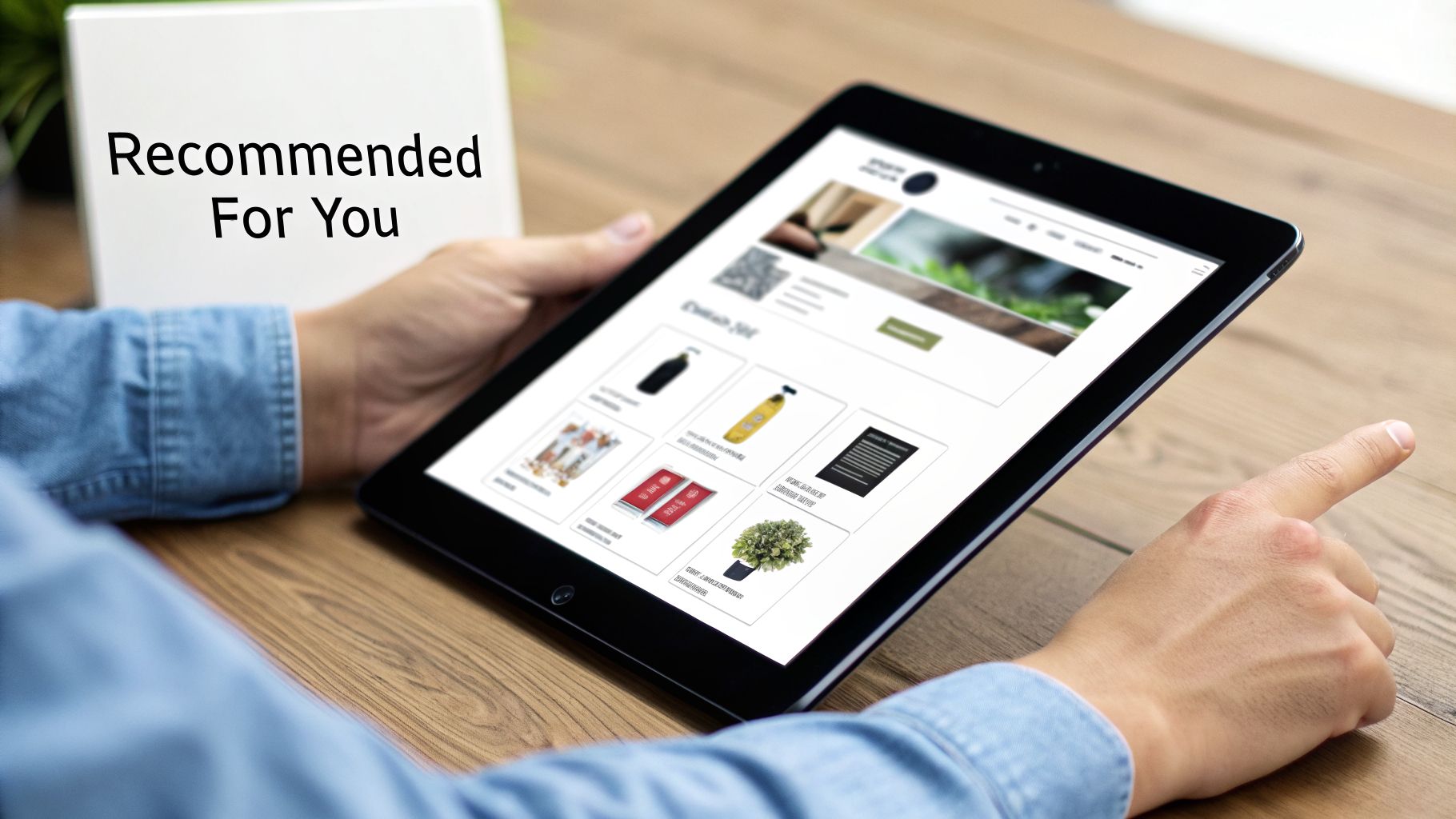
This workflow is powerful because it mirrors the helpfulness of a skilled in-store sales associate, but at scale. By anticipating customer needs and showcasing products they are likely to love, you can significantly lift conversion rates and customer lifetime value. Amazon famously generates a massive portion of its revenue from its recommendation engine, proving the model's effectiveness.
Strategic Breakdown
- Trigger: A user views a product page, adds an item to their cart, completes a purchase, or simply browses the homepage.
- Actions:
1. Analyze Behavior: The system processes user data in real time, identifying patterns and preferences.
2. Generate Recommendations: Based on a predefined algorithm (e.g., "customers who bought this also bought," "recently viewed," or collaborative filtering), the system creates a list of relevant products.
3. Display Recommendations: The personalized product suggestions are automatically inserted into key locations like product pages, the shopping cart, and post-purchase follow-up emails.
- Tools: Platforms like Dynamic Yield, Nosto, and even native features in Shopify and Klaviyo excel at creating these recommendation engines.
- KPIs: Average Order Value (AOV), Click-Through Rate (CTR) on Recommendations, Conversion Rate from Recommendations, and Repeat Purchase Rate.
Actionable Takeaways
To start, implement simple but effective rules like "frequently bought together" on your product pages. Relevance over quantity is key; show a curated list of 3-5 recommendations per placement to avoid overwhelming the customer. Continually test different algorithms (e.g., comparing user-based vs. item-based filtering) and be sure to exclude recently purchased items from new recommendations to avoid annoyance.
> Key Insight: Segment your recommendation strategies. For new visitors, show "best-sellers" or "trending products" to build trust. For loyal customers, use their detailed purchase history to cross-sell highly specific, complementary products, creating a truly personalized shopping journey that encourages higher spending.
7. Video Content Creation, Repurposing & Distribution Automation
Automating video content creation and repurposing is a game-changing marketing automation workflow that drastically scales content output. This workflow uses AI tools to generate videos from scripts or existing content, then systematically repurposes a single long-form asset into dozens of formats (social clips, audiograms, quote cards) and distributes them across multiple channels. The goal is to maximize the ROI of every content piece while minimizing manual production time.
This workflow is transformative because it breaks the traditional time and cost barriers of video production. Instead of spending weeks on a single video, teams can generate hundreds of assets from one blog post or webinar, maintaining a constant, high-quality presence on platforms like TikTok, Reels, and YouTube Shorts without burning out their creative teams.
Strategic Breakdown
- Trigger: A new piece of "pillar content" is published (e.g., a blog post, webinar recording, or podcast episode goes live).
- Actions:
1. AI Video Generation: The blog post URL or webinar transcript is fed into an AI tool to generate a summary script and an initial explainer video with stock footage and AI voiceover.
2. Repurposing & Clipping: The long-form video is processed by a repurposing tool that automatically identifies key moments, extracts short, vertical clips for social media, and generates audiograms for podcasts.
3. Automated Distribution: The newly created assets are automatically added to a social media scheduler, with captions and hashtags, and queued for distribution across different platforms over several weeks.
- Tools: Synthesia or HeyGen for AI video generation, Descript or Pictory for editing and clipping, and Repurpose.io or Buffer for automated cross-platform distribution.
- KPIs: Content Velocity (Assets Produced per Week), Cost per Video, Engagement Rate per Platform, and Cross-Channel Traffic/Leads.
Actionable Takeaways
Start by repurposing your highest-performing blog post into a short explainer video. Create standardized templates in Canva for different asset types (e.g., quote cards, video thumbnails, audiograms) to ensure brand consistency across all repurposed content. Always include captions, as over 65% of social video is watched without sound. Use tools to automatically add them.
> Key Insight: Don't publish all repurposed assets on the same day. Create a distribution calendar that "drip-feeds" the content over several weeks or even months. This extends the lifespan of your pillar content and maintains a consistent publishing schedule without requiring constant new ideation.
8. SEO & Paid Ads Keyword Automation
Manually managing large-scale paid advertising campaigns is inefficient and prone to error. This marketing automation workflow example leverages AI-powered tools to automate keyword research, bid management, ad copy generation, and performance optimization. It allows marketers to scale campaigns from hundreds to thousands of keywords while continuously optimizing for cost-per-acquisition (CPA) or return on ad spend (ROAS).
This workflow is essential for businesses looking to scale their paid acquisition channels profitably. By letting algorithms handle the granular, data-intensive tasks of bid adjustments and keyword expansion, teams can focus on high-level strategy, creative testing, and landing page optimization, leading to significant reductions in CPA and improved campaign efficiency.
Strategic Breakdown
- Trigger: The automation platform detects new high-intent keyword opportunities based on search trends, competitor analysis, or on-site search data. Alternatively, it identifies underperforming keywords based on predefined performance thresholds (e.g., CPA exceeds $50).
- Actions:
1. Keyword Expansion: Automatically add newly identified, relevant keywords to specific ad groups based on intent and product category.
2. Bid Optimization: Adjust keyword bids in real-time based on performance data, time of day, device, and audience signals to meet a target ROAS or CPA.
3. Negative Keyword Updates: Automatically add irrelevant search terms that trigger ads to the negative keyword list, preventing wasted spend.
4. Performance Alerting: Send a notification to the marketing manager when ad-level Quality Score drops below a certain number or when a campaign's budget is pacing too quickly.
- Tools: Google Ads Smart Bidding, Optmyzr, Marin Software, and Facebook's Advantage+ campaigns are leading platforms for this type of automation.
- KPIs: Cost Per Acquisition (CPA), Return on Ad Spend (ROAS), Quality Score, Click-Through Rate (CTR), and Conversion Rate.
Actionable Takeaways
Start by automating high-intent keyword groups first, such as those including terms like "buy," "pricing," or specific brand names. Group keywords tightly by user intent to create highly relevant ad copy and landing pages for each segment. Set clear ROAS or CPA goals and let the system optimize toward them, but review its suggestions weekly at first to ensure alignment with business goals.
> Key Insight: Allocate a small portion of your budget (e.g., 10-20%) to a dedicated "testing" campaign where the automation has more freedom to explore new keywords. This creates a controlled environment for discovering new growth opportunities without risking the performance of your core, proven campaigns.
9. Customer Retention & Win-Back Email Campaigns
A customer win-back campaign is a vital marketing automation workflow example designed to re-engage and retain customers who have become inactive. This workflow automatically identifies users showing signs of lapsing (e.g., no recent purchases or logins) and triggers a sequence of targeted communications to bring them back. The primary goal is to prevent customer churn and recover revenue from your existing customer base, which is significantly more cost-effective than acquiring new ones.
This workflow is essential because it addresses customer churn proactively. By automating outreach to at-risk segments, you can remind them of your brand's value, introduce new features or products, and use strategic incentives to reignite their interest. Successful win-back campaigns can recover 10-15% of at-risk customers, directly boosting customer lifetime value (LTV) and stabilizing revenue streams.
Strategic Breakdown
- Trigger: A customer enters an "At-Risk" or "Lapsed" segment. This is defined by a specific period of inactivity, such as no purchase in 90 days for e-commerce or no login for 45 days for a SaaS product.
- Actions:
1. Wait (e.g., 90 Days Post-Purchase): Send a friendly, non-promotional "We miss you" email that asks for feedback or highlights what’s new.
2. Wait (7-10 Days): Send a second email showcasing social proof, top-rated products, or case studies relevant to their past behavior.
3. Wait (7 Days): Send a final, compelling offer with a clear incentive, like a "Welcome Back" discount (e.g., 15% off) or a special bonus.
- Tools: Platforms like Klaviyo, Customer.io, and Retention.com excel at creating sophisticated segments based on customer behavior and deploying multi-channel win-back flows.
- KPIs: Win-Back Rate, Churn Rate Reduction, Engagement Rate of reactivated users, and LTV of recovered customers.
Actionable Takeaways
Begin by clearly defining what "at-risk" means for your business; a 90-day lapse might be standard for fashion but too long for a subscription service. Personalization is paramount; reference a customer's past purchases or usage to make the communication feel relevant. A/B test different offers, from discounts to exclusive content, to see what resonates most with your lapsed audience.
> Key Insight: Segment your win-back campaigns based on customer lifetime value. High-LTV lapsed customers might justify a more generous offer (e.g., 25% off or a free gift), while a standard 10% discount can be used for the broader segment. This tiered approach maximizes your return on investment by focusing your best offers on the most valuable relationships.
10. Dynamic Pricing & Promotional Calendar Automation
Dynamic pricing is an advanced marketing automation workflow that automatically adjusts product prices based on real-time market data. This system analyzes factors like demand, inventory levels, competitor pricing, and seasonality to optimize prices for maximum revenue and profit margin, removing the need for constant manual updates. It also automates the scheduling of sales and promotions aligned with key shopping events.
This workflow is crucial for competitive e-commerce markets where pricing can change hourly. By automating price adjustments, businesses can react instantly to market shifts, capitalize on high-demand periods, and efficiently clear seasonal inventory without sacrificing margins. This data-driven approach often leads to significant revenue lifts, with retailers seeing increases of 15-20%.
Strategic Breakdown
- Trigger: A predefined condition is met, such as a competitor's price drop, inventory level falling below a certain threshold (e.g., 20 units), or a specific date on the promotional calendar (e.g., two weeks before Black Friday).
- Actions:
1. Analyze Data: The system pulls in the latest data on competitor prices, current inventory, and sales velocity.
2. Execute Pricing Rule: Based on pre-set rules (e.g., "always be 5% lower than Competitor X" or "increase price by 10% when inventory is low"), the platform automatically updates the product price on the storefront.
3. Schedule Promotion: For calendar-based automation, the system applies a pre-configured discount (e.g., "25% Off Summer Sale") across a specified product category on the start date and removes it on the end date.
- Tools: Platforms like Prisync and Wiser are leaders in this space, integrating with e-commerce platforms. Shopify apps also offer dynamic pricing functionalities.
- KPIs: Average Order Value (AOV), Profit Margin, Inventory Turnover Rate, Revenue per Visitor, and Conversion Rate.
Actionable Takeaways
To implement this safely, establish strict pricing guardrails to protect your margins, such as setting a minimum price that never goes below your product cost plus a desired profit. Use the automation to create scarcity by slightly increasing prices as inventory dwindles, paired with "low stock" messaging. Plan major promotional campaigns at least 60 days in advance within your automation tool to ensure smooth execution.
> Key Insight: Don't apply a one-size-fits-all pricing strategy. Segment your dynamic pricing rules based on product categories and customer segments. For example, high-demand, low-elasticity products can sustain higher prices, while loyal customers could be automatically offered preferential pricing to boost retention.
10 Marketing Automation Workflow Examples — Side-by-Side Comparison
| Workflow | 🔄 Implementation complexity | ⚡ Resource requirements | 📊 Expected outcomes | Ideal use cases | ⭐ Key advantages & 💡 tips |
|---|---|---|---|---|---|
| Email Drip Campaigns & Abandoned Cart Recovery | Medium — setup triggers, templates, ongoing A/B tests | CRM/email platform, clean customer data, copy/design resources | Recover ~15–35% abandoned revenue; higher LTV; measurable ROI | E‑commerce, SaaS trial nurturing, cart recovery | ⭐ High ROI & scalable; 💡 Send first email within 1 hour; segment by CLV |
| Social Media Content Calendar & Posting Automation | Low–Medium — calendar setup, platform connectors | Content assets, scheduling tool, creator time for batch production | Cuts manual posting ~80%; consistent brand presence; increased reach | Brands, agencies, creators needing volume & consistency | ⭐ Saves time & ensures consistency; 💡 Plan 30–90 days, batch-create content |
| Lead Scoring & Sales Pipeline Automation | High — scoring models, CRM integration, continuous tuning | Clean CRM data, analytics, sales–marketing alignment | Shortens sales cycle 20–40%; improves conversion 25–40%; better prioritization | B2B SaaS, enterprise sales, high‑volume lead gen | ⭐ Improves conversion quality; 💡 Start with 3–5 signals and review monthly |
| Customer Support Ticket Automation & Chatbot Triage | Medium–High — bot training, routing rules, integrations | Knowledge base, ticketing system integration, monitoring/training | Handles 40–70% of tickets; response times drop to seconds; lower support costs | E‑commerce and SaaS support with high ticket volume | ⭐ Reduces costs & speeds responses; 💡 Begin with top FAQs and ensure clear escalation |
| Landing Page A/B Testing & Conversion Optimization | Medium — experiment setup, stats, designer/dev input | Testing tools, sufficient traffic, design/dev resources, analytics | Lift conversions 10–30%; revenue per visitor +15–40%; quantifiable gains | High‑traffic landing pages, product launches, lead gen | ⭐ Data‑driven conversion lift; 💡 Test one element at a time; ensure 95% significance |
| Personalized Product Recommendation Workflows | Medium — recommendation engine, data integration | Behavioral data feed, product catalog, real‑time inventory sync | AOV +15–30%; repeat purchases +20–40%; improved CX at scale | E‑commerce, marketplaces, cross‑sell strategies | ⭐ Boosts AOV & repeat buys; 💡 Show 3–5 items, exclude recent purchases |
| Video Content Creation, Repurposing & Distribution Automation | Medium — script→video pipelines, format templates, QA | Scripts/content, templates, platform connectors, review resources | Produce videos in hours vs weeks; engagement +40–80%; higher content ROI | Brands/agencies needing high‑volume video & repurposing | ⭐ Scales production & ROI; 💡 Always include captions and platform‑specific edits |
| SEO & Paid Ads Keyword Automation | Medium–High — campaign structure, bid strategies, landing page mapping | Keyword data, ad creative, landing pages, analytics and monitoring | CPA −15–40%; scales to thousands of keywords; better ad relevance | E‑commerce scaling paid search, agencies, large SKUs | ⭐ Improves efficiency & ROAS; 💡 Group by intent, reserve 20% budget for testing |
| Customer Retention & Win‑Back Email Campaigns | Medium — churn models, segmentation, personalized flows | Historical engagement data, email/SMS channels, offer budget | Recovers ~10–15% at‑risk customers; improves retention & LTV | Subscriptions, membership sites, repeat‑purchase e‑commerce | ⭐ Cost‑effective retention; 💡 Tier offers by customer value; ask for feedback |
| Dynamic Pricing & Promotional Calendar Automation | High — real‑time pricing, competitor monitoring, guardrails | Inventory & competitor data, pricing engine, legal/compliance oversight | Revenue +10–25%; better margins; reduced inventory costs | Retailers, marketplaces, high‑SKU e‑commerce, Amazon sellers | ⭐ Maximizes revenue & margin; 💡 Set minimum margin guardrails; monitor fairness |
From Workflows to a Fully Automated Business Engine
We've explored a comprehensive suite of marketing automation workflow examples, moving from foundational concepts like abandoned cart recovery to advanced strategies such as dynamic pricing and automated SEO keyword optimization. Each example represents a powerful lever you can pull to drive efficiency, boost revenue, and create a more personalized customer experience.
Individually, implementing even one of these workflows, like a customer win-back campaign or a lead scoring system, can deliver a measurable return on investment. You save countless hours of manual work, reduce human error, and ensure no opportunity slips through the cracks. However, the true competitive advantage isn't found in isolated automations; it's discovered in their integration.
The Power of an Interconnected System
The ultimate goal is to move beyond a collection of disparate workflows and build a cohesive, intelligent business engine. Think of it as an ecosystem where each part communicates and reacts to the others in real-time.
> Strategic Insight: Your automations should not operate in silos. The output of one workflow should serve as the trigger for another, creating a cascading effect that guides a customer seamlessly through their entire lifecycle with your brand.
Imagine this scenario:
- An automated ad campaign drives targeted traffic to a landing page.
- That landing page is under a constant A/B testing workflow, which automatically optimizes for the highest conversion rate.
- A new lead submission triggers a lead scoring and nurturing sequence, warming them up with relevant content.
- Once their score hits a predefined threshold, they are automatically handed off to the sales pipeline, and the sales team is notified.
- Simultaneously, a separate customer retention workflow identifies a past customer who just revisited the site and re-engages them with a personalized offer.
This isn't a futuristic vision; it's what's possible today. This level of coordination transforms your marketing from a series of tasks into a self-sustaining system that actively drives growth while you focus on high-level strategy. The collection of marketing automation workflow examples in this article provides the blueprints for each component of that larger machine.
Your Actionable Path Forward
Feeling overwhelmed by the possibilities is a natural reaction. The key is to start small, build momentum, and reinvest your gains. Don't try to build the entire engine at once. Instead, follow this simple, repeatable process:
1. Identify Your Biggest Bottleneck: Where are you losing the most time or money? Is it in nurturing cold leads? Re-engaging past customers? Manually posting social media content?
2. Choose One Workflow: Select the single workflow from this guide that directly addresses that bottleneck. The abandoned cart recovery sequence is often a great starting point for e-commerce, while a lead nurturing campaign is invaluable for SaaS.
3. Implement and Measure: Set it up using your chosen tools. Define your key performance indicators (KPIs) from the start, whether it's conversion rate, customer lifetime value, or sales-qualified leads generated.
4. Reinvest and Expand: Once the workflow is running and delivering results, take the time you've saved and reinvest it into building your next automation. Connect your new workflow to the first one, creating your first interconnected process.
By mastering these concepts, you shift your role from a doer to a strategist. You become the architect of a system designed for scalable, predictable growth, freeing you and your team to focus on innovation, creativity, and building stronger customer relationships. The journey from a single workflow to a fully automated engine begins with that first step.
Ready to move beyond disconnected tools and build a truly integrated automation engine? SynthAI assembles a 'business team' of AI assistants that run these interconnected workflows for you, creating an autonomous operation. Explore how you can implement these marketing automation workflow examples and more by visiting SynthAI today.
Ready to Transform Your Business with AI?
Build your AI team and start automating your marketing today.